Google Maps Doesn’t Work in Korea — Here’s What Locals Use Instead
Google Maps still can’t give directions in Korea, so locals use Naver Map and KakaoMap. Here’s what each does best, how to set them up in English, and how to search and get around like a local — anywhere from Seoul to Jeju.
Last updated: June 2026
The short version
Why not Google Maps
Google Maps still can’t give driving or walking directions in Korea (mid-2026). Korea conditionally approved Google’s map-data export in Feb 2026, but the rollout isn’t live yet — so download a Korean app before you go.
Your main app
Naver Map — the best English support, the deepest place search and excellent walking directions. Make it your default.
For transit & taxis
KakaoMap — unbeatable real-time arrivals (and which subway car to board), plus a built-in link to Kakao T for taxis.
The rule
Install both, switch them to English, and you can find anything and reach anywhere — Seoul, Busan, Jeju, the lot.
One catch
They need mobile data to work. Sort out an eSIM, SIM or pocket WiFi so they run the moment you land.
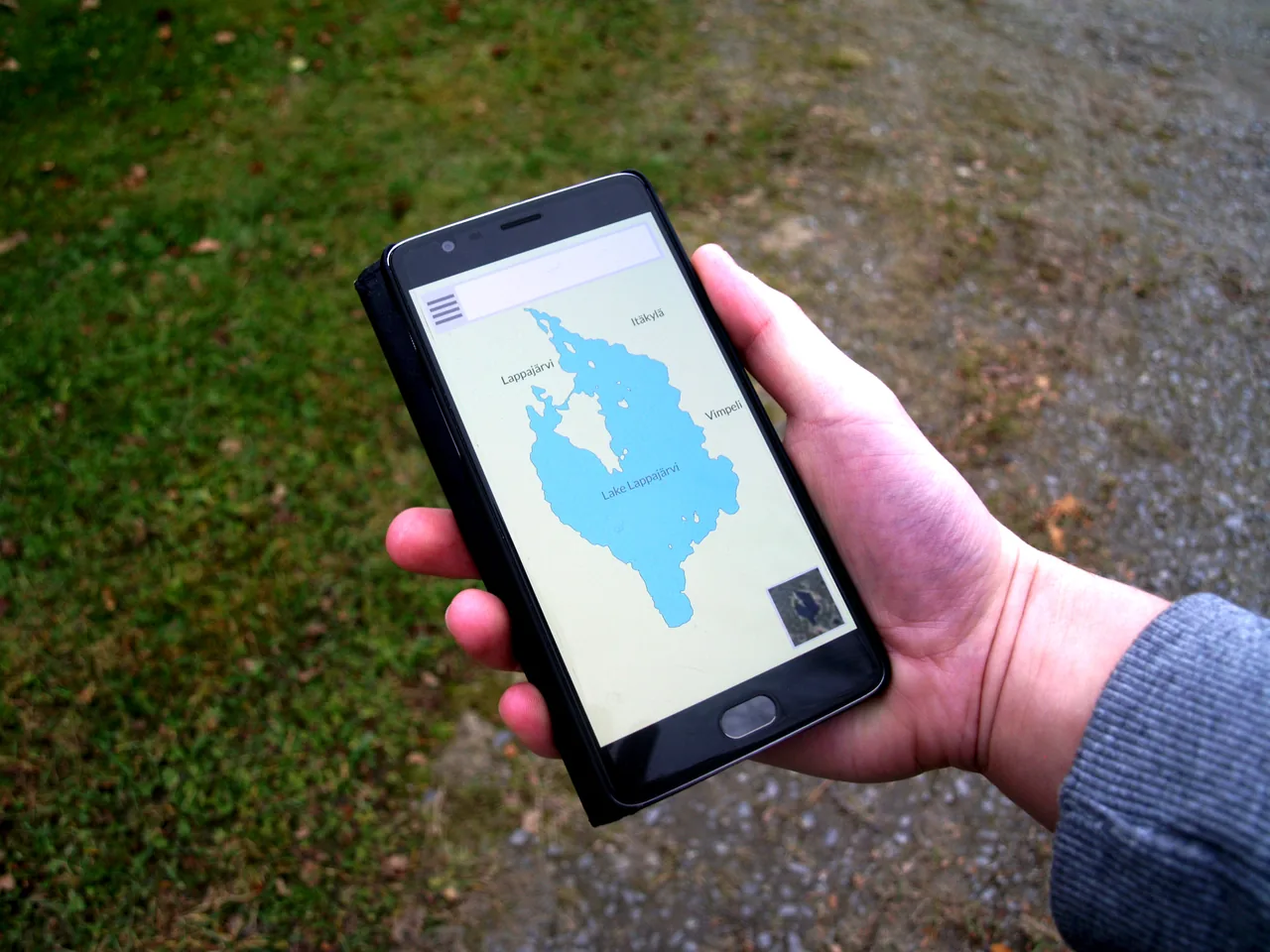
In Korea, locals navigate with Naver Map and KakaoMap, not Google Maps — both have English modes. (Photo: Santeri Viinamäki, CC BY-SA 4.0)
1. Why Google Maps barely works in Korea
Here’s the surprise that catches almost every first-timer: you can’t really navigate Korea with Google Maps. You can drop a pin and see a place, but tap Directions and you’ll usually get nothing for driving or walking, and patchy results for transit. It’s not a glitch on your phone — it’s a decades-old data rule.
For national-security reasons (Korea is still technically at war with the North), the country has long blocked companies from exporting its high-precision, 1:5,000-scale map data to servers abroad. Google asked for it back in 2007 and was turned down repeatedly. In February 2026 the government finally gave conditional approval — Google can export the data if it masks sensitive sites, processes it on local servers and meets Korea’s security terms. That should eventually unlock full Google Maps here.
But as of mid-2026, it still hasn’t gone live. The February approval is real, yet the rollout is pending while Google works through Korea’s conditions — so Google Maps still can’t give you driving or walking directions in Korea. Don’t wait and hope: download Naver Map and/or KakaoMap before you arrive. They’re free, they’re what locals actually use, and both have an English mode.
2. Naver Map vs KakaoMap at a glance
Both apps cover the entire country, both are free, and both handle maps, search, transit, driving and walking. The differences are in the details:
Feature
Naver Map
KakaoMap
English support
Strongest — menus, voice, exit numbers
Partial — navigation in English, many listings still Korean
Place search (food, shops)
Excellent — the deepest listings
Very good
Walking directions
Excellent — clear even in tiny alleys
Good
Real-time transit
Good
Excellent — live arrivals, best car to board
Taxis
—
Links to Kakao T
Use it as
Your main app
Transit & taxi companion
The honest answer most locals give is simple: use both. Let Naver Map be your everyday app for searching and walking, and open KakaoMap when you need exact, real-time transport timing or a cab.
3. Naver Map — best for English and place search
Naver Map is the more foreigner-friendly of the two. Its English mode is genuinely complete: menus, turn-by-turn voice, subway exit numbers and big landmarks all show in English, so it’s the easiest to read when everything around you is in Hangul.
The deepest place search: Naver is Korea’s biggest search portal, so its map has the richest database of restaurants, cafés, shops and opening hours. If a place exists, it’s almost certainly in here.
Walking directions that actually work: the step-by-step walking guide is superb, threading you through narrow back streets and hillside lanes that other apps fumble.
Reviews and photos: listings come with photos, ratings and reviews, so you can pick a restaurant on the spot.
Make Naver Map your default. For maybe 90% of what a traveler does — finding a café, walking to a viewpoint, checking if a shop is open — Naver Map in English is the smoothest ride.
4. KakaoMap — best for real-time transit and taxis
KakaoMap is the one to open the second you’re standing on a platform or at a bus stop. Its real-time public-transport info is outstanding: it tells you how many minutes (sometimes seconds) until the next subway or bus, and even which car to board for the fastest transfer or the closest exit.
Live arrivals: exact countdowns for buses and subways, so you know whether to sprint or stroll.
Smart transfers: it points you to the best carriage for your next change or exit — a tiny touch that saves real minutes in a huge station.
Taxis built in: KakaoMap links straight to Kakao T, Korea’s dominant taxi app, so you can hail a cab from your route.
One catch: KakaoMap’s English isn’t as complete as Naver’s. Navigation works in English, but some category searches and business names still show in Korean — which is exactly why carrying both apps is the winning move.
KakaoMap shines for real-time transit — live arrivals and the best subway car to board. (Photo: Dongchan0417, CC BY-SA 3.0)
5. The two apps that complete the set: Papago & Kakao T
Two more free apps turn the maps from useful into unstoppable, and they slot right in:
Papago — Korea’s best translation app. Point it at a Korean menu, sign or address and it reads it for you; type English and it gives you the Korean to paste into the map. It’s the bridge between the maps and the real world around you.
Kakao T — the taxi app KakaoMap hands you off to. Set your destination, hail a metered cab, and pay by registered card, no Korean needed.
Between Naver Map, KakaoMap, Papago and Kakao T, you’ve got navigation, search, translation and taxis all covered.
Get the full kit: these four are the core, but a couple more (for trains, payments and more) are worth having too — see our Korea travel apps guide for the complete download list before you fly.
6. How to set them up in English
Both apps default to Korean, but switching to English takes seconds. Do it on the WiFi at your hotel, or before you even fly.
Download both apps Get Naver Map and KakaoMap from the App Store or Google Play. They’re free, and you don’t need a Korean phone number to use the maps.
Open the settings Tap the menu or profile icon (usually a gear or three-line icon in a corner) and find Settings.
Switch the language to English Look for the Language option and choose English. The map, menus and voice guidance all switch over.
Allow location Give the app permission to use your location so it can show where you are and route from your spot.
Tip: you don’t need to log in to browse and navigate. A free account only adds extras like saving favorites — handy, but optional for a short trip.
7. How to search like a local
The one skill that makes these apps click is knowing how to search. A few habits go a long way:
Search by the real name: famous spots work in English (try Gyeongbokgung, Haeundae Beach), but smaller places are often easier to find by their Korean name or exact address.
Paste the Korean text: if you’ve got a place’s Korean name from a blog or website, copy and paste it straight into the search box — that lands the exact spot every time.
Use the road address: Korean road addresses (a road name plus a number) are precise. Paste the full address when a name search comes up short.
Let Papago help: it turns a Korean name, sign or address into something you can read — and back the other way when you need the Korean to paste into the map.
Pro move: while you’re researching the trip, save the Korean name of each place you want to visit. Pasting Korean text into Naver Map or KakaoMap is the single most reliable way to land the right pin.
Once you can search, getting around is the easy part. Here’s how the apps handle each mode, anywhere in Korea:
Subway & bus: both apps route you door to door, but KakaoMap’s live arrivals make it the better call when timing matters. It shows transfers, fares and how long each leg takes.
Walking: Naver Map’s walking directions are the clearest, including the hilly, winding lanes you’ll hit in places like Busan’s Gamcheon or Seoul’s Bukchon.
Taxi: hail one through Kakao T (linked from KakaoMap). Set the destination in English and pay by card — no language barrier with the driver.
Driving: renting a car (great for Jeju)? Both apps give full turn-by-turn navigation with live traffic — the very thing Google Maps can’t do here.
Go deeper on transport: for the KTX, the T-money card, buses and the whole system, see our complete guide to getting around Korea guide. Bookmark your hotel and key stations in the app as you go, too.
Naver Map’s walking directions guide you through narrow lanes like these. (Photo: Christophe95, CC BY-SA 4.0)
9. You’ll need mobile data
Here’s the part people forget: these apps need an internet connection to work. Live search, directions and real-time arrivals all rely on data — there’s no useful full offline mode. So before you rely on Naver Map or KakaoMap, make sure your phone is online from the moment you land.
The easiest fix for most travelers is a Korean eSIM: you buy it before you fly, scan a QR code, and you have data the second you switch on your phone at the airport — no SIM swapping, no queue.
📶 Naver Map and KakaoMap have no usable offline mode: without data they are blank screensSee on Yesim →See on Saily →See on Airalo →Affiliate link — we may earn a commission at no extra cost to you.
Pick the right option: eSIM, physical SIM or pocket WiFi each suit different trips. Our Korea SIM & eSIM guide breaks down which is best for you, with current data plans and prices.
10. Map app problems? Quick fixes
Korean map apps are reliable, but a few things trip up first-timers. Here are the fixes for what you’re most likely to hit:
Everything’s still in Korean: you switched the phone’s language, not the app’s — they’re separate. Open the app’s own Settings → Language and choose English there.
A search returns nothing: you probably typed an English spelling of a small local place. Paste the Korean name or the full road address instead — that almost always lands the pin.
It won’t route or find you: the app needs both mobile data and location permission. Check that data/roaming is on and that you granted location access in your phone settings.
Transit times look off: live arrivals need a connection; on a weak signal the app falls back to timetables. KakaoMap tends to carry the freshest real-time data.
The walking route looks strange: in hilly areas the shortest line is often a flight of stairs. Naver Map’s walking mode handles alleys and steps best, so switch to it there.
Golden rule: when in doubt, paste Korean text. Copying a place’s Korean name straight into the search box is the single most reliable trick in either app.
11. So which one should you use?
You don’t have to pick just one — and you shouldn’t. But if you want a simple rule, here it is:
If you want to…
Use…
Read everything in the clearest English
Naver Map
Search restaurants, cafés and shops
Naver Map
Walk through narrow streets and alleys
Naver Map
Catch a subway or bus that’s leaving now
KakaoMap
Call a taxi
KakaoMap → Kakao T
Carry just one app
Naver Map (add KakaoMap for transit)
For most visitors, the winning setup is Naver Map as your main app, with KakaoMap on standby for real-time transit and taxis — plus Papago for translation and a data plan to power them. Install both, set them to English, and you’re ready for the whole country. Got your maps sorted? Now plan the trip with our complete Korea Travel Guide, or map out the days with our Korea itinerary guide.
Only partly. You can search for places and read reviews, but Google Maps still can’t give driving or walking directions in Korea, and transit results are limited. It’s due to a law restricting the export of detailed map data. Use Naver Map or KakaoMap instead.
Q. Which is better, Naver Map or KakaoMap?
For most foreign travelers Naver Map is the better main app — the strongest English support, the deepest place search and excellent walking directions. KakaoMap is better for real-time public transport and taxis. The smartest move is to install both.
Q. Are Naver Map and KakaoMap in English?
Yes. Naver Map has the most complete English mode (menus, voice, exit numbers, landmarks). KakaoMap offers English navigation, though some category searches and business names may still show in Korean. You switch the language in each app’s settings.
Q. Do I need a Korean phone number to use them?
No. You can download and use both Naver Map and KakaoMap for searching and navigation without a Korean phone number or even an account. An account only adds extras like saving favorites.
Q. How do I search if I don’t know the Korean name of a place?
Famous spots work in English, but for smaller places copy and paste the Korean name (from a blog or website) or the full road address into the search box — that finds the exact location. Papago can translate names and addresses for you.
Q. Can I use Naver Map or KakaoMap offline?
Not really — both need mobile data for live search, directions and real-time transit. Make sure you have a Korean eSIM, SIM or pocket WiFi so the apps work the moment you land.
Q. How do I call a taxi with these apps?
KakaoMap links to Kakao T, Korea’s main taxi app. You set your destination, hail a registered taxi and pay by card through the app — handy for getting past any language barrier with the driver.
Q. Do I really need both apps?
You can get by with just Naver Map, which covers most needs in clear English. But adding KakaoMap is worth it for its superior real-time transit info and its Kakao T taxi link — together they cover every situation.
Q. Will Google Maps work properly in Korea soon?
Possibly. In February 2026 Korea conditionally approved Google’s request to export high-precision map data, ending a 19-year dispute. But as of mid-2026 the rollout hasn’t happened, so Google Maps still can’t give driving or walking directions in Korea. Until it goes live, use Naver Map and KakaoMap.
Q. Does Apple Maps work in Korea?
Not well. Apple Maps hits the same wall as Google Maps — limited or no turn-by-turn directions — because of the same map-data restrictions. Use Naver Map or KakaoMap for reliable navigation.
Q. Are Naver Map and KakaoMap free?
Yes. Both are completely free to download and use for search and navigation, with no subscription. You don’t even need an account — signing in only adds extras like saving favorite places.