
Getting Online in Korea: eSIM, SIM Card, Pocket WiFi or Roaming
Two questions decide it — do you need a Korean phone number, and which of the three networks does your plan actually run on?
| For a normal holiday | A data-only eSIM is enough. Taxis and food delivery now accept foreign numbers, so the old rule about needing a Korean 010 number has quietly stopped being true. |
|---|---|
| If you’re working or staying | Get a physical prepaid SIM with a Korean number. Banking, domestic payment apps and ticketing sites still verify by Korean mobile number. |
| The thing nobody tells you | Not all airport counters are open all night. At Incheon Terminal 1 the west side (F arrivals) runs 24 hours; the east side (A arrivals) shuts at 22:00. |
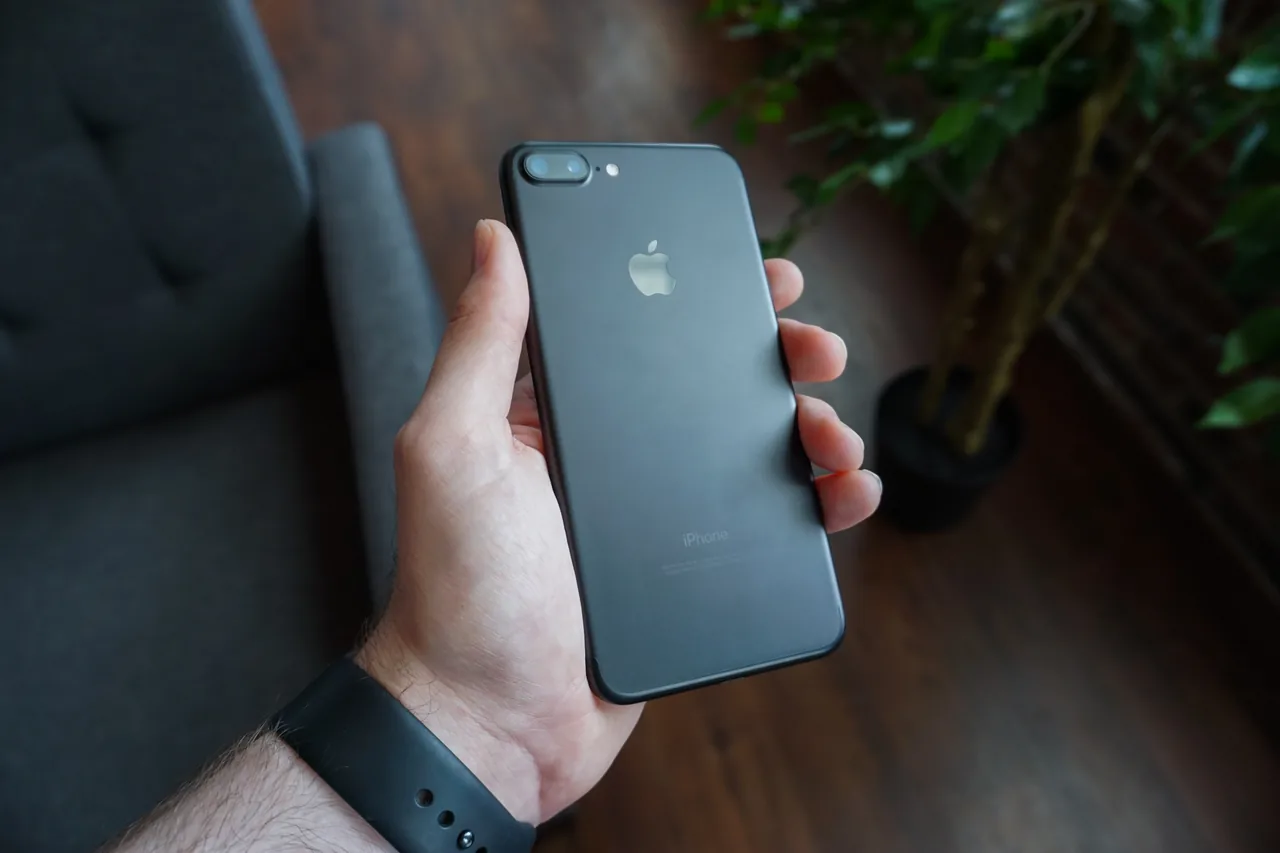
| If your phone is a recent US model | iPhone 17, 17 Pro and 17 Pro Max sold in the US have no SIM tray at all. An eSIM isn’t a preference for you, it’s the only option besides roaming. |
| How much data | About 500–700 MB a day covers maps, camera translation and messaging. Maps and translation, not social media, are what burn through it. |
| Why you can’t just wing it | Google Maps still can’t give you walking or driving directions in Korea. Naver Map and KakaoMap can, and both need a live connection. |
1. Four ways to get data, and who each one is for
2. Do you actually need a Korean phone number?
3. Which network is your eSIM actually on?
4. Will your phone even take an eSIM?
5. Installing an eSIM without the classic mistakes
6. Buying a physical SIM at the airport, and when the counters close
7. Buy before you fly, or buy at the airport?
8. Pocket WiFi and roaming: when they’re actually the right call
9. How much data you need, and what “unlimited” means here
10. Can you get by on free WiFi?
11. The real reason data isn’t optional here: Google Maps
12. So what should you buy?
Korea is the one country where “I’ll just use offline Google Maps” doesn’t work. Part of our complete Korea travel guide.
1. Four ways to get data, and who each one is for
Only two of these four are worth serious thought for most visitors. Pocket WiFi solves a group problem, roaming solves a laziness problem, and both are usually beaten on price by the other two.
| Option | Korean number? | Right for | Downside |
|---|---|---|---|
| eSIM | No — data only | Anyone with a recent unlocked phone | Nothing to collect, nothing to swap. Your home number stays live for verification codes. |
| Prepaid SIM | Yes, an 010 number | Older phones, longer stays, anyone who needs to be called back | Your passport, and a counter visit. You have to physically remove your home SIM. |
| Pocket WiFi | No | Three or more people moving together | A second device to carry, charge and hand back. It dies around the time you want dinner. |
| Roaming | Keeps your own | Two or three nights, or a plan that already includes it | Usually the most expensive per day — but check first, because for some plans it’s free. |
The useful way to narrow this down isn’t “which is cheapest” — the prices move every few months. It’s the two questions in the next two sections: whether you need a Korean number, and which network you end up on. Those two answers are stable, and they eliminate most of the menu for you.
2. Do you actually need a Korean phone number?
For a holiday, almost certainly not — and that’s a recent change worth knowing about, because most guides still say otherwise.
The old advice made sense. For years, Korea’s everyday apps ran on identity verification tied to a Korean mobile number, so a data-only eSIM left you locked out of taxis and food delivery. That’s no longer the case.
| What you want to do | Foreign number OK? |
|---|---|
| Hail a taxi with Kakao T | Yes. Sign up with an overseas number, register a foreign card, and the app runs in English, Japanese or Chinese. Destination search and the driver chat auto-translate. |
| Order food delivery | Yes. Baemin verifies overseas numbers and takes foreign-issued credit cards and Apple Pay. |
| Maps, translation, messaging, transit | Yes — none of these ever needed a Korean number. |
| Open a bank account, use Korean payment apps | No. KakaoPay, Naver Pay and Toss all sit on Korean identity verification. |
| Buy tickets on a domestic booking site | Often no. Many still gate checkout behind mobile-number verification. |
| Sign up with a Korean carrier | No, by definition. |
Read down that table and the pattern is clear: the things that still need an 010 number are the things you’d only do if you lived here. A two-week trip touches almost none of them.
There is one soft reason to want a Korean number anyway, and it’s worth being honest about: being reachable. A guesthouse host, a restaurant confirming a booking, a driver who can’t find you — these all go to a phone number, and an international call to your home number is something a Korean small business may simply not attempt. If you’re doing anything where someone needs to call you back, that argument beats the price argument.
3. Which network is your eSIM actually on?
You are not choosing between eSIM brands. You are choosing between SK Telecom, KT and LG U+ — the brands just resell them. Which is why the single most useful thing on a product page is whether the seller tells you which one you’re getting.
All six are data-only, so none of them give you a Korean number. Some links below are affiliate links; there is no extra charge to you, and we only list brands we’d actually use.
| Brand | Network it names | Says 5G? | Worth knowing |
|---|---|---|---|
| Yesim | Doesn’t say | Yes, with a caveat | Names all three carriers as “top local providers” but never says which one its own plan uses. Its own spec line reads “3G, 4G, LTE or 5G, depending on the provider and location”. Plans from a single day to a year. |
| Saily | Varies by supplier | Not committed | The page says the network depends on the provider it routes you through, so you can’t know in advance. From the Nord Security team; the app’s ad-blocking measurably cuts data use. |
| Airalo | SK Telecom / LG U+, per plan | No speed label | The only major brand that puts the carrier in the plan name, so you can choose deliberately. It doesn’t grade the plans by 4G or 5G. Unlimited from 3 to 30 days. |
| Klook | SK Telecom | Yes, 5G | The listing is titled as a 5G unlimited prepaid eSIM on SKT. Delivered as a dated voucher, so check the activation window if you’re buying months ahead. |
| KKday | SK Telecom / LG U+ | Yes, 5G | Sold as data packs rather than unlimited, from 1 to 30 days, across two networks. |
| Holafly | SK Telecom, LG U+ | Yes, “where available” | Not a brand we’ve wired up. Its coverage page is unusually specific, which is why it’s here for comparison. |
Cheaper 4G-only versions of most of these still exist, and both Klook and KKday sell one. The links above point at the 5G products on purpose. Korea’s LTE is genuinely good and a 4G plan will serve you fine. The price gap is small, though, and 5G is where the carriers actually invest. If a listing doesn’t mention 5G anywhere, assume it is 4G.
So which network should you want?
Independent measurement gives a clear, and slightly counter-intuitive, split. From the most recent Korea network report:
| Measure | Winner | The number |
|---|---|---|
| Overall download speed | SK Telecom | 189.3 Mbps, 35 Mbps clear of KT’s 154.3 |
| 5G download speed | KT | 20 Mbps ahead of SKT, 34.5 ahead of LG U+ |
| Time actually connected to 5G | LG U+ | 90.3% |
| Consistent quality | SK Telecom | 7 points clear of LG U+, 12.3 clear of KT |
KT wins the headline 5G number but SK Telecom wins on everything that describes a whole day of use — average speed, consistency, reliability. That gap between “fastest when it’s good” and “good most of the time” is the whole story, and for a traveller the second one is what you feel. You are not benchmarking; you are loading a map at a bus stop.
Worth knowing why none of the three can pull away on raw speed: Korea’s operators all handed back their 28 GHz millimetre-wave licences, so every 5G connection in the country now runs on the same 3.5 GHz band. Millimetre-wave gives spectacular speeds over a very short distance; 3.5 GHz travels further and holds up indoors. Korea effectively traded the headline number for coverage — which, if you’re the one standing in a basement food court trying to split a bill, was the right trade.
4. Will your phone even take an eSIM?
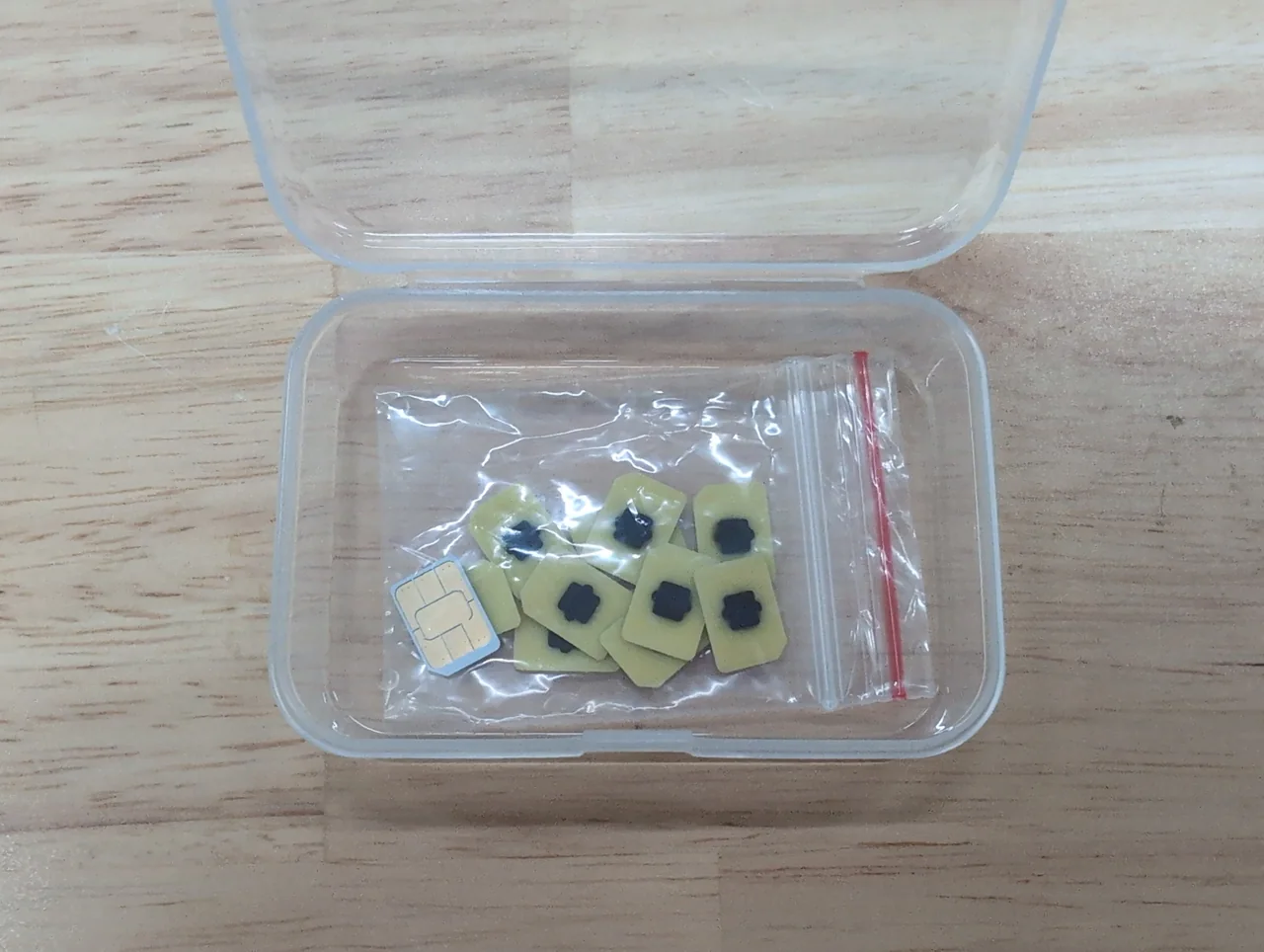
Check this before you buy anything, because eSIMs are non-refundable in practice and the answer depends on which country your phone was sold in — not which model it is.
iPhone
Every iPhone from the XS and XR onwards supports eSIM — with regional exceptions that catch people out in both directions.
- iPhone Air is eSIM-only everywhere in the world. There is no tray to fall back on.
- iPhone 17, 17 Pro and 17 Pro Max are eSIM-only in twelve markets, including the US, Canada and Japan. Sold anywhere else, the same models keep a tray.
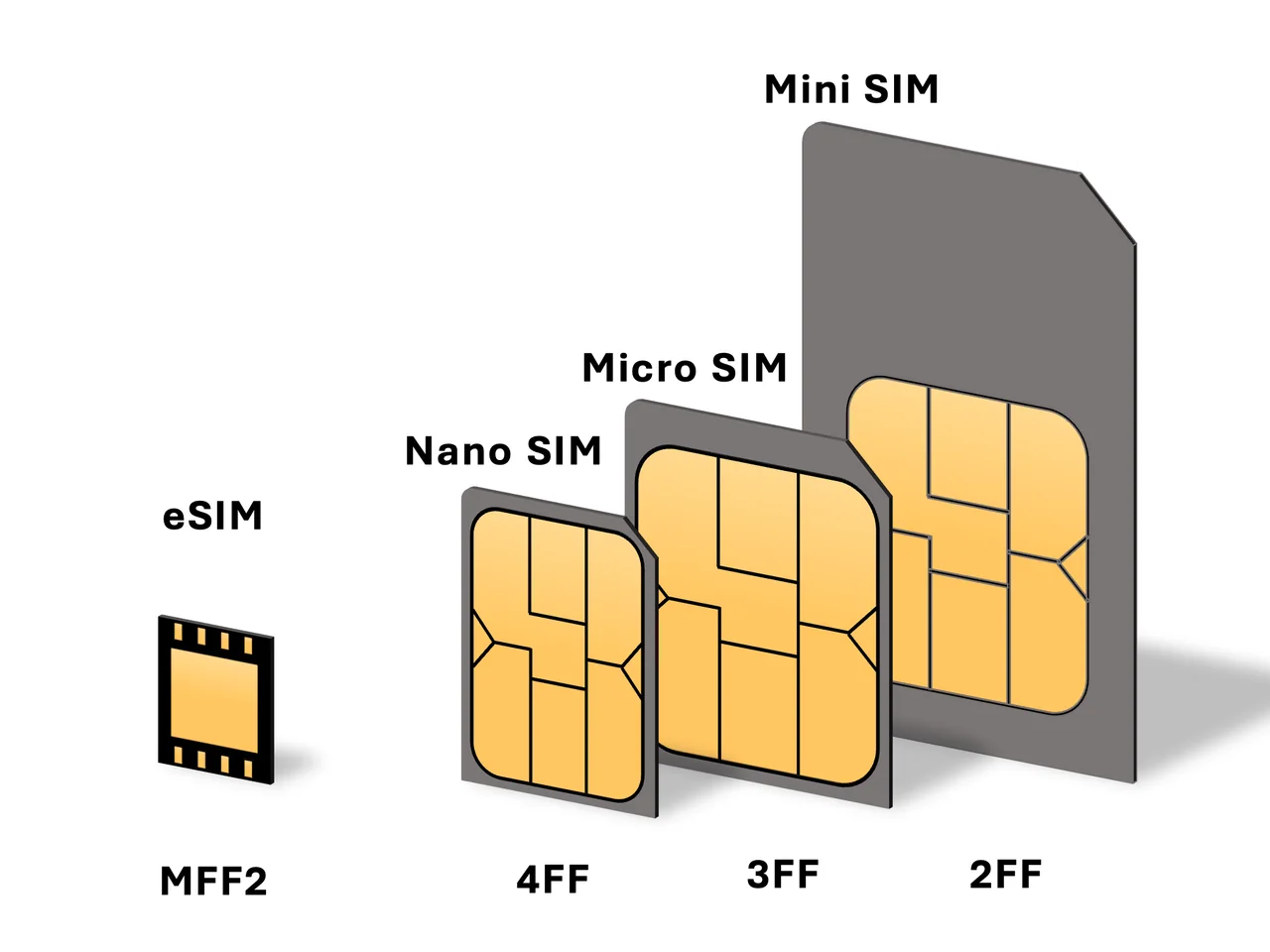
- 🔴 Hong Kong, Macau and mainland China models mostly have no eSIM at all — they take two physical nano-SIMs instead. If your phone came from there, only a short list supports eSIM: 17e, 17, Air, 17 Pro, 17 Pro Max, 16e, SE (2nd and 3rd gen), 13 mini, 12 mini and XS. A Hong Kong iPhone 16, for instance, cannot use one.
Galaxy and Pixel
Samsung’s own support list runs from the S20 through the S26, every Z Fold and Z Flip, the FE and mid-range A models and the recent tablets — but Samsung explicitly notes that support varies by country of sale, which is exactly why the *#06# check is more trustworthy than any list. Pixels have supported eSIM for years, with the occasional carrier-locked variant as the exception.
5. Installing an eSIM without the classic mistakes
The install takes about two minutes. Almost every problem people have comes from doing it at the wrong moment, not from doing it wrong.
- Buy it while you still have WiFi at home Most sellers email a QR code within minutes, but some take a few hours. Buying at the airport gate, with a boarding call in progress, is how people end up landing without it.
- Install the profile, but don’t turn it on Scanning the QR code writes the plan onto your phone. On most Korea plans the clock starts when the eSIM first connects to a Korean network, not when you install it — so installing early is safe and switching on early is not.
- Label the line while you’re doing it Your phone will ask what to call it. “Korea” beats “Secondary”, because in three days you’ll be tapping through settings on a moving train.
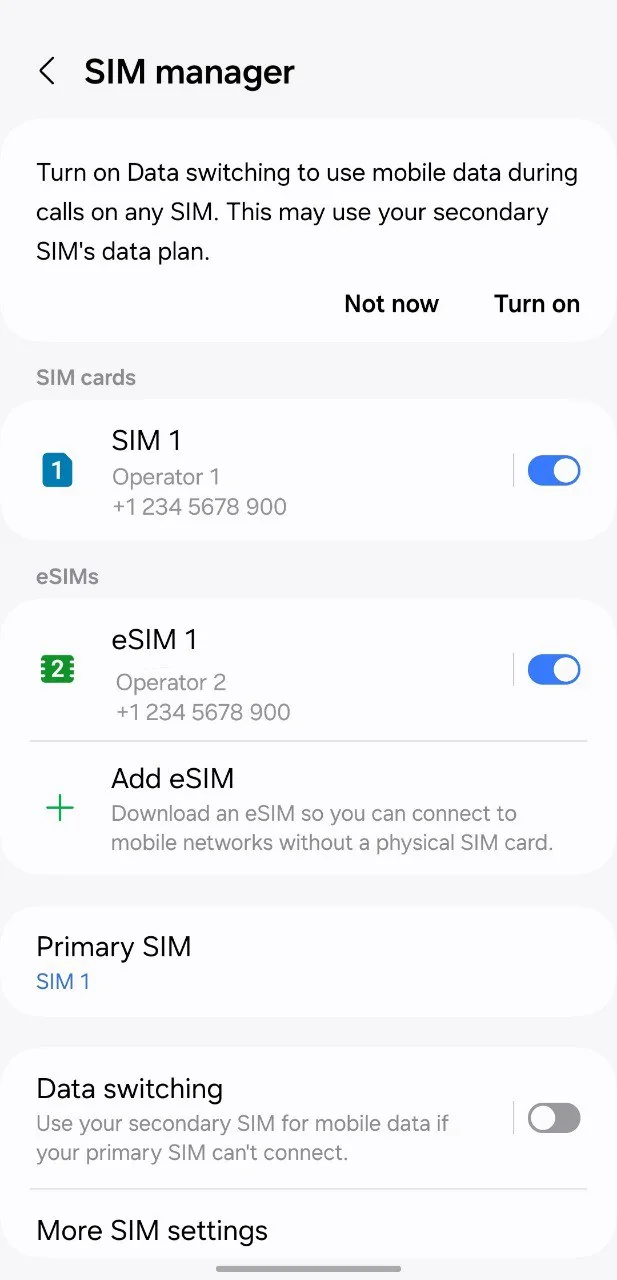
- On landing: turn the Korea line on, and turn data roaming on for that line This second toggle is the single most common failure. The eSIM is a foreign profile roaming onto a Korean network, so if roaming is off for that line, nothing happens. It is a per-line setting and there is no charge for it.
- Set your home line to voice-only Leave it active so verification texts still arrive, but switch its data off so it can’t quietly roam at your home carrier’s rates.
6. Buying a physical SIM at the airport, and when the counters close
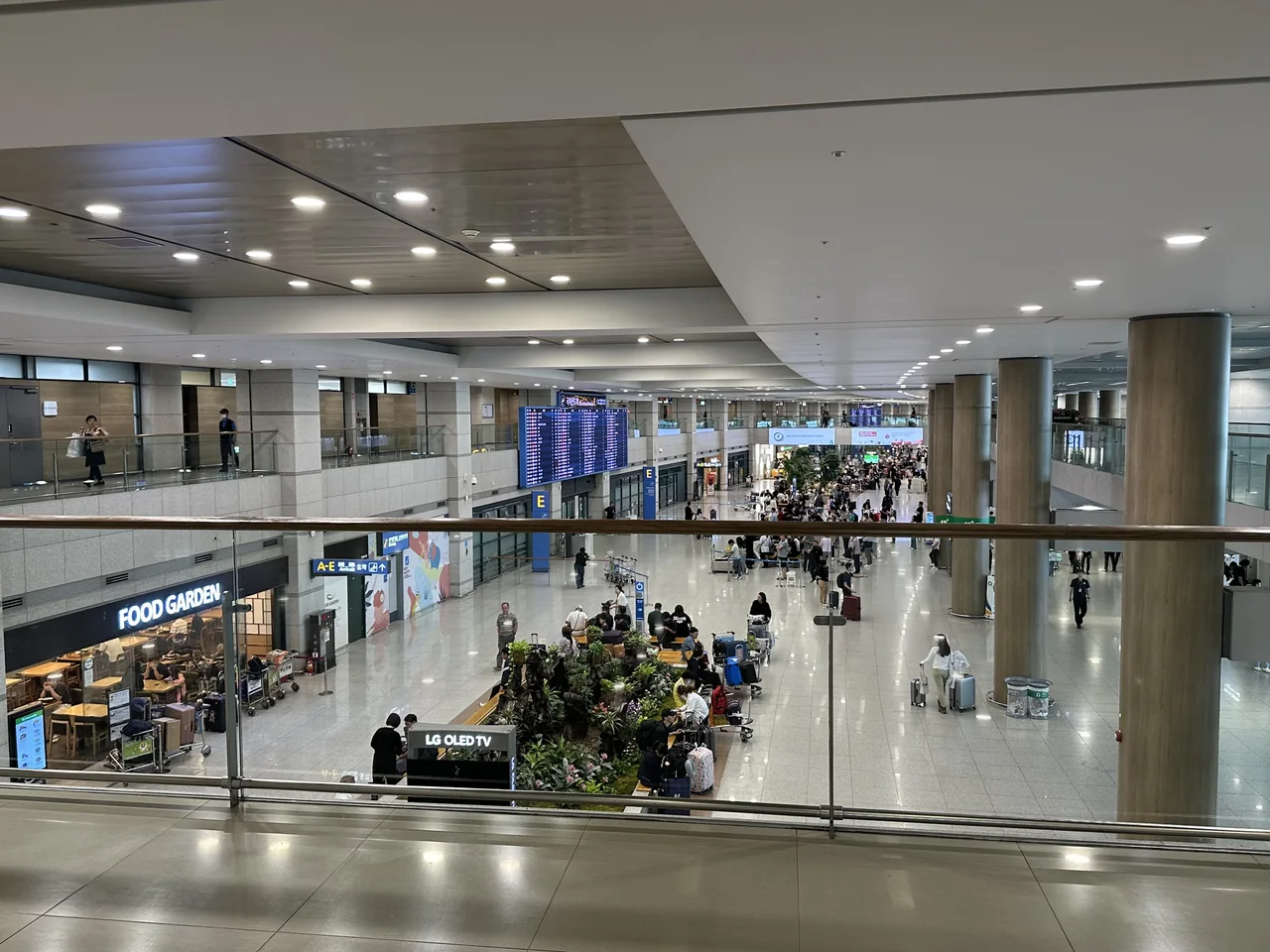
All three carriers have desks in the arrivals halls, but they don’t all keep the same hours — and the one detail that matters is that the 24-hour desks are on one specific side of the building.
Incheon (ICN), Terminal 1 — arrivals floor
| Where | Who | Hours |
|---|---|---|
| West end, near F arrivals | KT, SK Telecom, LG U+ | 24 hours |
| West end, near F arrivals | Pocket WiFi rental | 06:00–22:00 |
| East end, near A arrivals | KT, SK Telecom, LG U+ | 06:00–22:00 |
Incheon (ICN), Terminal 2 — arrivals floor
| Where | Who | Hours |
|---|---|---|
| Near exit 4 | KT, LG U+ | 24 hours |
| Near exit 7 | SK Telecom | 24 hours |
| Near exit 7 | LG U+ | 06:00–22:00 |
| Near exit 3 | Pocket WiFi rental | 06:00–22:00 |
Gimhae (PUS), for Busan
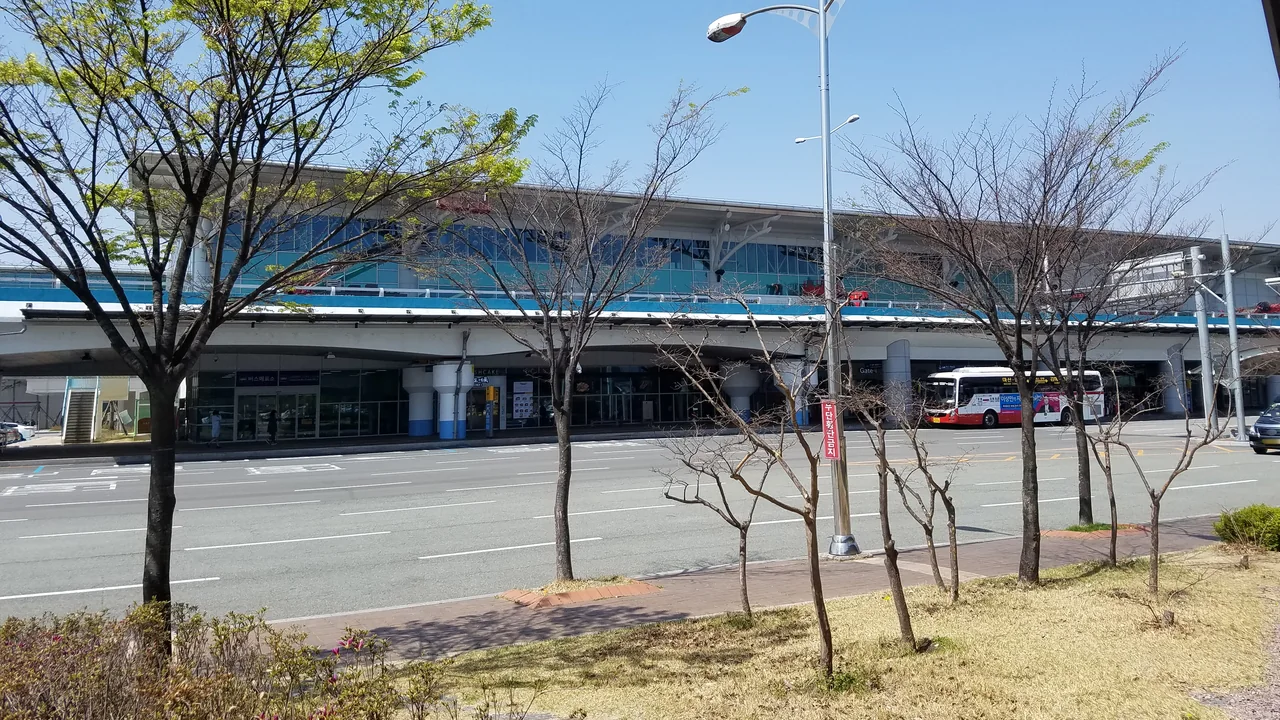
The international terminal has carrier desks on the arrivals floor and upstairs at departures. We couldn’t confirm individual opening hours from the airport’s own facility listing, so we won’t invent them — but Gimhae’s international schedule is much narrower than Incheon’s, and a late arrival can easily land after the last desk has closed. If you’re flying into Busan rather than Seoul, buying before you fly is the safer call. Getting from the terminal into the city is covered in our Gimhae Airport to Busan guide.
What you need at the counter
Your passport, and that’s genuinely all — you don’t need a Korean address or a residence card. Korean law requires every mobile line to be registered to a verified identity, which is why there’s a counter at all rather than a vending machine. Staff at the airport desks deal with foreign passports all day and speak enough English to get you through it.
Two practical notes. Keep the SIM tray tool and your home SIM somewhere fixed — a passport wallet, not a pocket — because a nano-SIM lost in an airport is gone. And expect a queue at peak times: Korea took just under 19 million foreign visitors last year, up more than 15 percent, and arrivals cluster into the same few hours.
7. Buy before you fly, or buy at the airport?
Buying in advance wins on price and on time; buying on arrival wins on flexibility and on getting a Korean number. Which matters depends on something you already know: whether your plans are fixed.
| Bought in advance | Bought at the counter | |
|---|---|---|
| Price | Lower — you’re comparing sellers, not accepting the one desk in front of you | Higher, and it’s a captive audience |
| Time on arrival | Zero. You’re online before you reach baggage claim | Ten minutes if you’re lucky, considerably more at peak |
| Korean number | Only if you specifically order a physical SIM for pickup | Standard |
| If your dates change | Depends on the seller’s activation window | Not a problem — you buy on the day |
| If your phone turns out to be locked | You’ve paid for something you can’t use | Staff find out in front of you and sell you something else |
For most people the advance eSIM is the right answer and the airport counter is the backup. The exception is a long or open-ended trip, where a prepaid SIM you can top up in person beats a fixed-length data plan you’d have to buy twice.
8. Pocket WiFi and roaming: when they’re actually the right call
Check your own plan before you buy anything
This section can save some readers the entire cost of this decision, so do it first. US carriers now price international days cheaply enough that short trips don’t obviously favour an eSIM: T-Mobile sells day passes at around five dollars, AT&T’s International Day Pass runs about ten, and Verizon’s TravelPass about twelve. For three nights that’s a rounding error. For ten days it’s a hundred dollars or more, and the maths flips hard.
So the honest rule is: short trip, roaming is fine; anything over about four or five days, an eSIM wins — and it wins by more the longer you stay, because eSIM pricing is per-plan while roaming is per-day forever.
Pocket WiFi
A rental hotspot shares one connection across several devices, which makes it genuinely good value for a family or a group of three or four all moving together. Two things kill it otherwise. It runs about four to six hours on a charge, which is shorter than a day of sightseeing, so you’re carrying a power bank for it. And it only works while you’re together — the moment two people split up to shop, one of them is offline. Groups that split up daily are better off with individual eSIMs.
The rental desks at Incheon are on the same arrivals floor as the carrier counters, though they close at 22:00 in both terminals.
What roaming won’t fix
Roaming keeps your own number alive, which is the one thing an eSIM can’t do — but so does an eSIM, since your home SIM stays in the phone. The only genuine advantage of roaming is that it needs no setup at all. If that’s worth the day rate to you, take it. It’s a real preference, not a mistake.
9. How much data you need, and what “unlimited” means here
A standard sightseeing day runs about 500–700 MB. That’s roughly two hours of live navigation, half an hour of pointing your camera at menus to translate them, messaging, and some scrolling.
The distribution surprises people. Official survey data on what foreign visitors actually use in Korea puts Naver Map at 56.2% and Google Maps at 33.9% for getting around, Papago at 48.3% and Google Translate at 23% for translation, and Instagram at 20.2% for social. The two things at the top of that list — maps and camera translation — are also the two heaviest, because both stream images continuously. Map tiles redraw as you walk. Camera translation uploads a frame every time you move the phone. A day of messaging costs less than twenty minutes of either.
| A day of… | Roughly |
|---|---|
| Maps, messaging, a few searches | Under 500 MB |
| The above plus camera translation and social | 500–700 MB |
| The above plus video calls or streaming on the train | 2 GB and up |
Read the throttle, not the word “unlimited”
Korean plans advertise unlimited data constantly, and it’s not a lie — but almost all of them mean unlimited at full speed up to a daily amount, then slowed. What matters is the speed you drop to, and it varies enormously. KT’s own prepaid plans, for instance, throttle to 1, 3 or 5 Mbps depending on which tier you bought.
That range is the difference between an inconvenience and a dead phone. At 5 Mbps you’d struggle to notice. At 1 Mbps maps and messaging still work fine, but video stops. So when you compare two “unlimited” plans, the number to find is the throttled speed — it’s the only part of that promise that will affect your day.
10. Can you get by on free WiFi?
You can get by. You can’t navigate. That distinction is the whole answer.
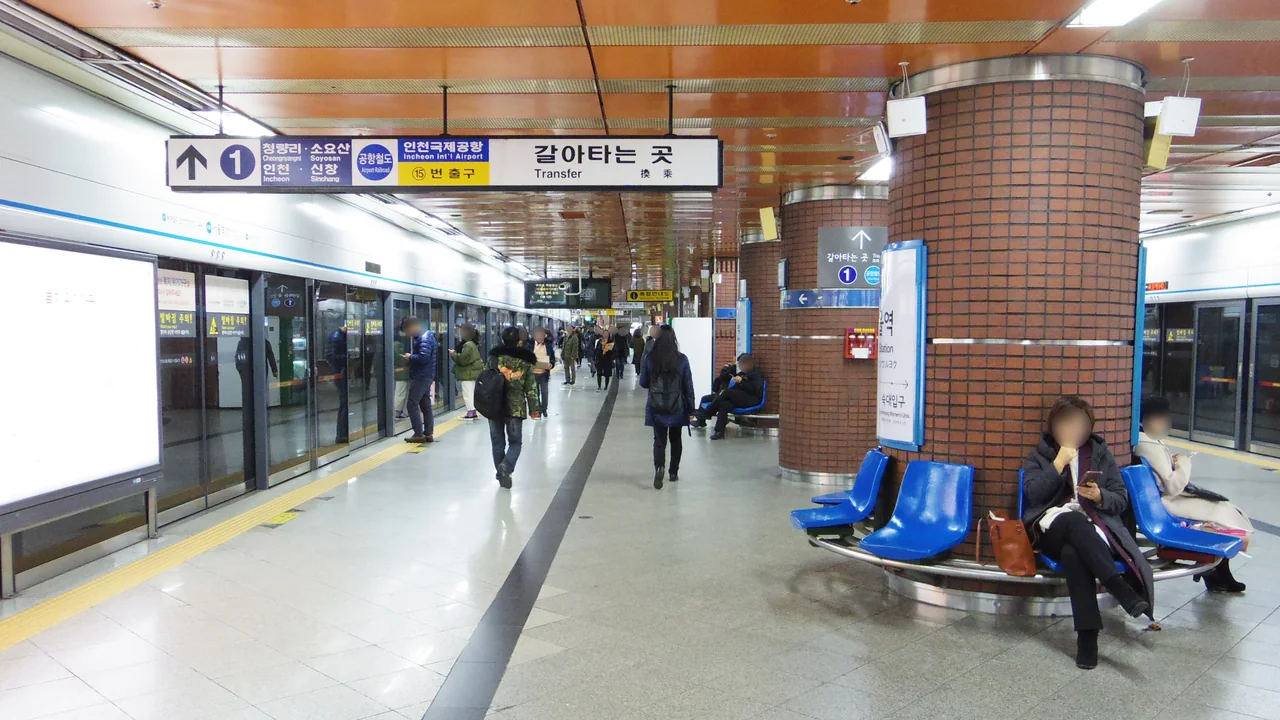
Korea’s public WiFi is genuinely extensive. You’ll see Public WiFi Free and Public WiFi Secure nationwide, plus SEOUL_Secure across the capital, and it’s on buses, in stations and in most cafés. Around 29,000 city buses are being upgraded to Wi-Fi 7 access points on 5G backhaul, which is a serious piece of public infrastructure by any standard.
The problem is what you need it for. Free WiFi is excellent when you are stationary and terrible when you are moving, and a map app is something you use precisely while moving. You’ll be on a platform with a good signal, walk up the stairs, and lose it at the exact moment you need to know which way to turn. Subway carriages have carrier WiFi but it hands over between cells and drops.
11. The real reason data isn’t optional here: Google Maps
In most countries you could download an offline map and survive a day without data. In Korea that escape hatch doesn’t exist.
Google Maps has never been able to give full walking, driving or transit directions in South Korea, because detailed mapping data couldn’t legally leave the country — a restriction rooted in the fact that the Korean War ended in an armistice rather than a peace treaty, and detailed geography is treated as a security matter.
That has finally started to change. A government panel granted conditional approval for Google to export high-precision 1:5,000 map data, ending a dispute that had run for nearly two decades. The conditions are substantial: military and security sites blurred, processing kept on servers inside Korea, and only pre-approved navigation data allowed out. Follow-up talks over exactly how the data would be stored and transferred then stalled, so as things stand the approval exists on paper and the directions still don’t work in the app.
Which leaves you with Naver Map or KakaoMap, both of which are excellent, both of which have English interfaces, and neither of which has a usable offline mode. They need a live connection, which is exactly why “I’ll figure out data later” is a worse plan in Korea than anywhere else you’ve been. We compare the two in our Naver Map vs KakaoMap guide, and the rest of the apps worth having are in our Korea travel apps roundup.
12. So what should you buy?
Before you fly
- Dial *#06# — is there an EID? If not, you need a physical SIM, and there’s no point reading any further about eSIMs.
- Confirm your phone isn’t carrier-locked.
- Install the eSIM profile at home, on WiFi. Don’t switch it on.
- Download Naver Map or KakaoMap, and Papago, before you leave — they’re a few hundred megabytes and you don’t want to spend your first day’s data on them.
- Check your arrival time against the counter hours above if you’re planning to buy on landing.
The 60 seconds after you land
Switch the Korea line on. Turn data roaming on for that line specifically. Turn data off on your home line. Open your map app before you leave the arrivals hall, so that if something’s wrong you’re standing thirty metres from someone who can fix it rather than an hour away on a bus.
Once you’re online, the rest of the trip planning is here: our Korea itinerary ideas help you shape the days, getting around Korea explains the trains and buses you’ll be booking, and money and payments in Korea deals with cards and cash.